Share live objects from your Clojure REPL

Define a sitemap, call connect!, and get a public URL. Anyone who opens it can browse your live Clojure objects through a web UI.

How it works

1
{:deps {com.hyperfiddle/hyperfiddle-agent {:mvn/version "v0-alpha-SNAPSHOT"}} :mvn/repos {"clojars" {:url "https://repo.clojars.org/" :snapshots {:update :always}}}}
Add one dependency. No build step.
2
(hfql {(all-ns) {* [ns-name ns-publics]}})
Define a sitemap — a map from symbols to HFQL query trees. Each entry becomes a navigable page. The query describes what to show and how to traverse it.
3
(agent/connect! "wss://index.clojure.net/agent" sitemap)
Your REPL opens an outbound WebSocket to the cloud proxy and receives an ephemeral public URL. No ports to open, no server to deploy.
;; => {:agent-id "a1b2c3d4", :agent-url "https://a1b2c3d4.clojure.net"}
Try it yourself
Browse your loaded namespaces
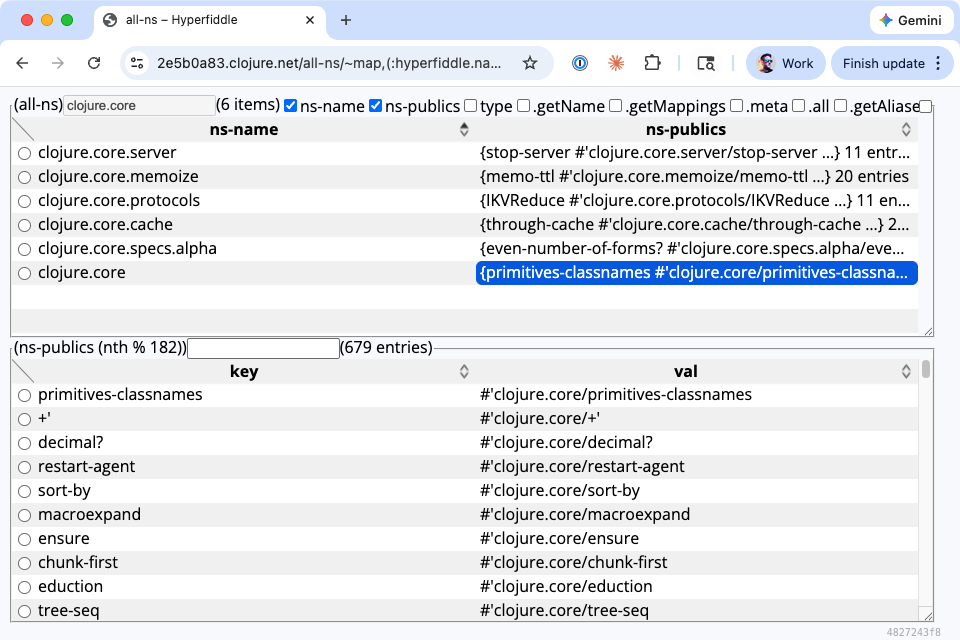
The simplest possible agent. Exposes (all-ns) as a navigable page — click into any namespace to see its public vars, arglists and docstrings. Install Clojure 1.12+ (brew install clojure on macOS), open a REPL with clj, and paste:
REPL
$ clj -Sdeps '{:mvn/repos {"clojars" {:url "https://repo.clojars.org/" :snapshots {:update :always}}}}'
Clojure 1.12.3
(require '[clojure.repl.deps :refer [add-libs]])
(add-libs '{com.hyperfiddle/hyperfiddle-agent {:mvn/version "v0-alpha-SNAPSHOT"}})
(require '[hyperfiddle.navigator-agent :as agent]
         '[hyperfiddle.hfql2 :refer [hfql]])
(def sitemap {'all-ns (hfql {(all-ns) {* [ns-name ns-publics]}})})
(agent/connect! "wss://index.clojure.net/agent" sitemap)
;; => {:agent-id "a1b2c3d4"
;;     :agent-url "https://a1b2c3d4.clojure.net"}
Namespace browser showing clojure.core namespaces with ns-name and ns-publics columns
Example
Datomic Browser
Share a live Datomic database from your REPL. Define your queries as functions that resolve dynamic vars — the setup function injects the database per request.
REPL
$ clj -Sdeps '{:mvn/repos {"clojars" {:url "https://repo.clojars.org/" :snapshots {:update :always}}}}'
Clojure 1.12.3
(require '[clojure.repl.deps :refer [add-libs]])
(add-libs '{com.hyperfiddle/hyperfiddle-agent {:mvn/version "v0-alpha-SNAPSHOT"}
            com.datomic/peer {:mvn/version "1.0.7491"}})
(require '[hyperfiddle.navigator-agent :as agent]
         '[hyperfiddle.hfql2 :refer [hfql]]
         '[datomic.api :as d])
(def uri "datomic:dev://localhost:4334/mbrainz-1968-1973")
(def ^:dynamic *db*)
(defn schema []
  (d/q '[:find [(pull ?e [:db/ident :db/valueType *]) ...] :where [?e :db/valueType _]] *db*))
(def sitemap {'schema (hfql {(schema) {* [*]}})})
(agent/connect! "wss://index.clojure.net/agent" sitemap
  (fn [] {#'*db* (d/db (d/connect uri))}))
;; => {:agent-id "a1b2c3d4"
;;     :agent-url "https://a1b2c3d4.clojure.net"}

Database connections, credentials, and services are dependency-injected via (fn [] {#'*db* (d/db (d/connect uri))}) — the agent only sees bindings you explicitly provide, so enterprise users have full control over what gets exposed and can enforce access policies at the injection point.

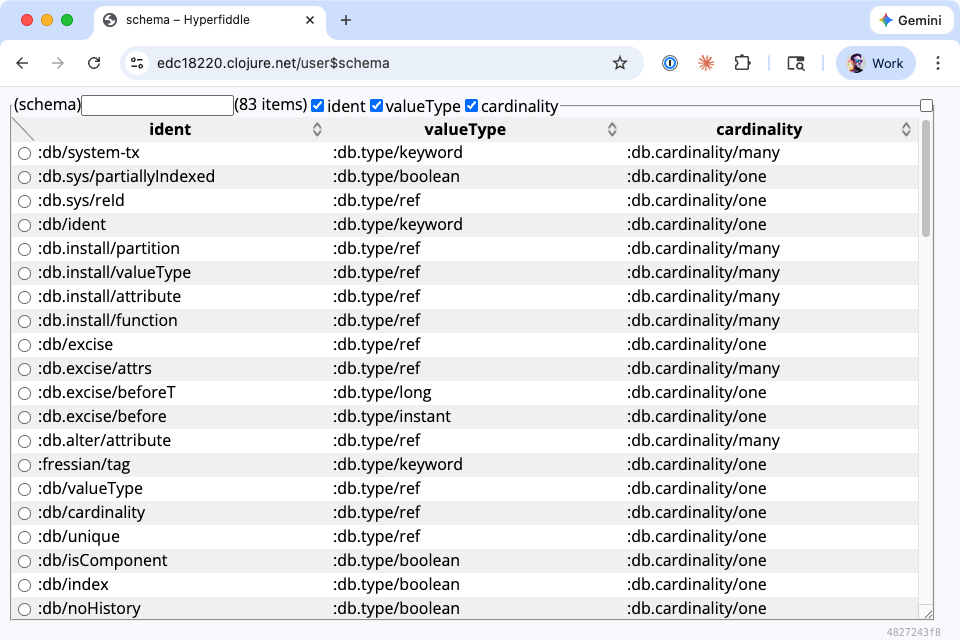
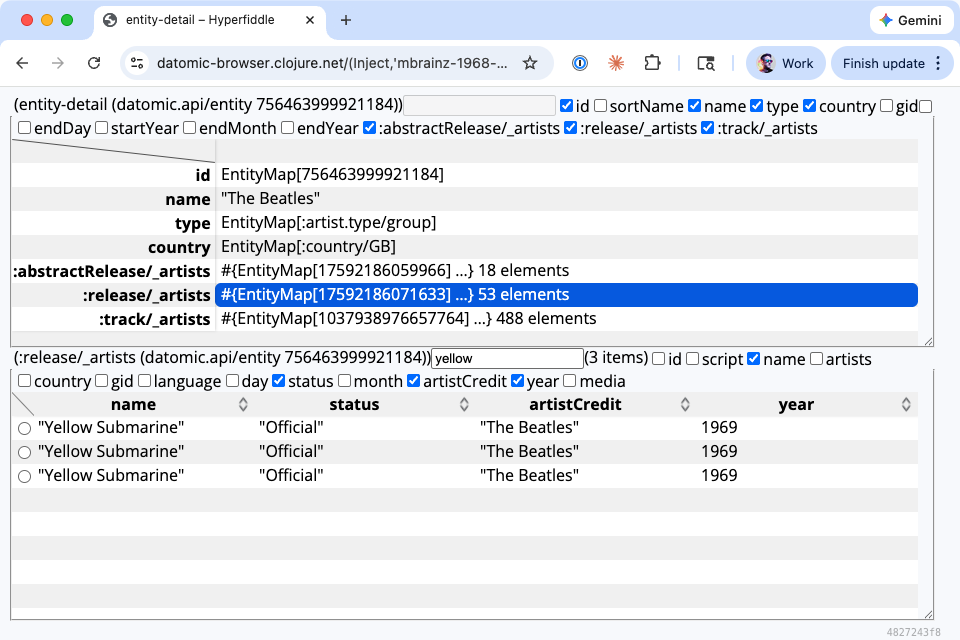
hyperfiddle/datomic-browser is a full example of what the framework is capable of — a multi-page Datomic entity browser with URL routing, pagination, search and drill-down, built entirely with HFQL sitemaps.

Datomic entity browser showing schema attributes with db/ident, db/valueType and other columns

No REST APIs

HFQL queries replace REST endpoints. There's no serialization layer, no glue code, no API versioning. The browser navigates your Clojure objects directly over a WebSocket.